
Some of your best pages may be held back by how they connect to the rest of your site. On sites that grow over time, like a blog that publishes every week or a store that keeps adding products, two problems build up quietly: pages nothing links to, and pages that compete with each other for the same search.
Both have the same fix: deliberate internal links. Here's how to spot each one and what to link where.
Orphan pages
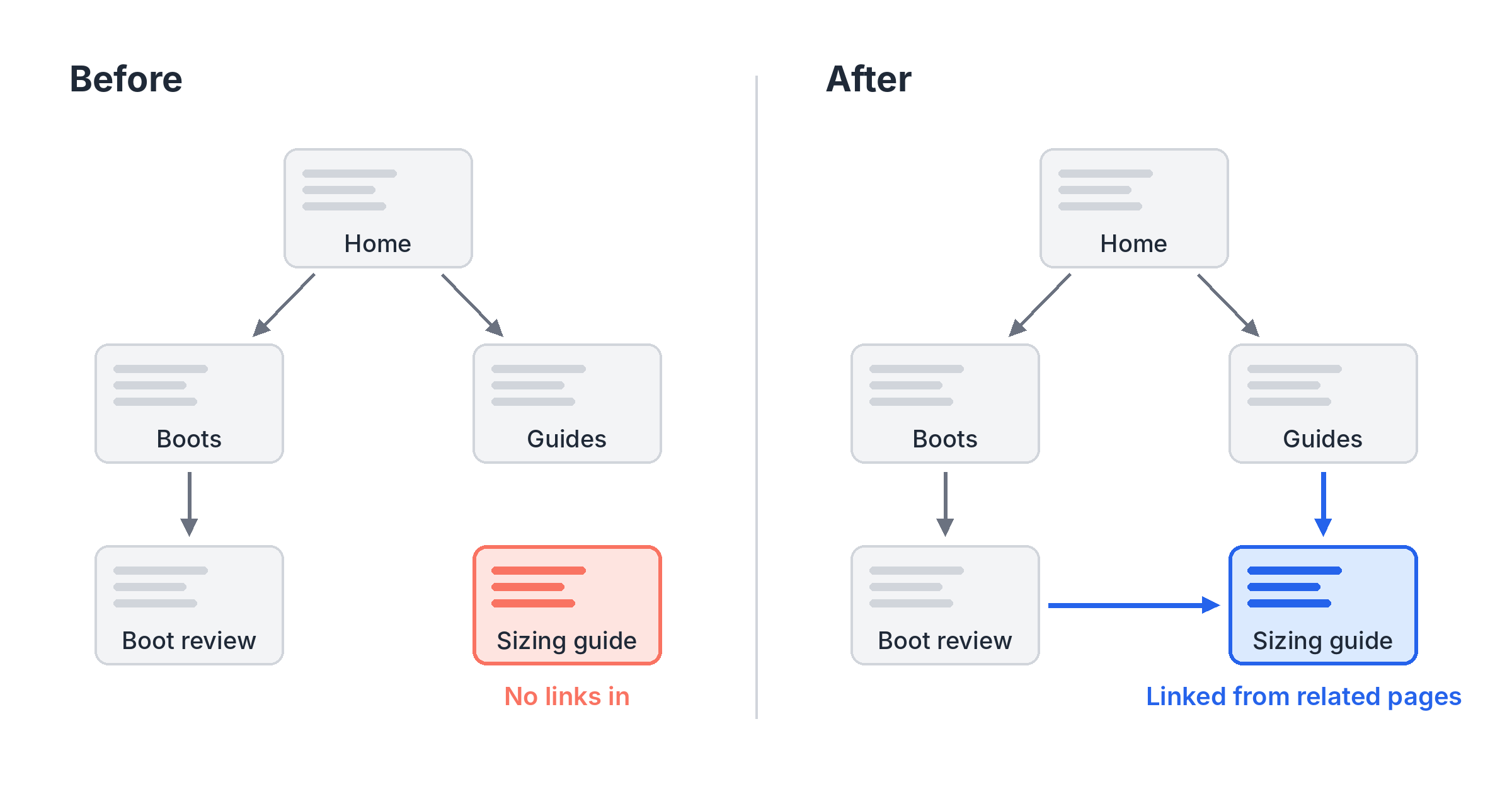
An orphan page is a page on your site that no other page links to. Visitors can't click their way to it, and search engines have a harder time finding it, since they discover pages by following links.
Even when Google does find an orphan page (through your sitemap, say), it gets no support from the rest of your site. No links point to it, so nothing tells search engines it matters or what it's about.
Pages with only one or two links in have a milder version of the same problem.
How orphan pages happen
- A new page goes live, but nobody adds it to the navigation or links to it from related pages.
- A redesign drops a menu item or category page that used to link to it.
- A landing page was built for a campaign and left up.
How to fix them
First, decide whether the page should be linked at all. Some orphan pages are intentional. A landing page for a paid ad, or the thank-you page after a form, is meant to be reached from that ad or form, not from your menu. Leave those alone. An expired promotion or a forgotten test page may be better removed or redirected.
For pages worth keeping:
- Find the pages that cover related topics. Those are your link sources.
- Add a link from each one, where it fits in the text. A link in the body of a relevant page carries more meaning than one in a footer.
- Use anchor text that describes the page. Ideally it includes the orphan page's target keyword.
- Link from pages that already get traffic. They pass along more value, and readers actually see the link.
This isn't just theory. When we added inbound internal links to one of our own articles, that article gained ranking keywords and traffic.
Competing pages
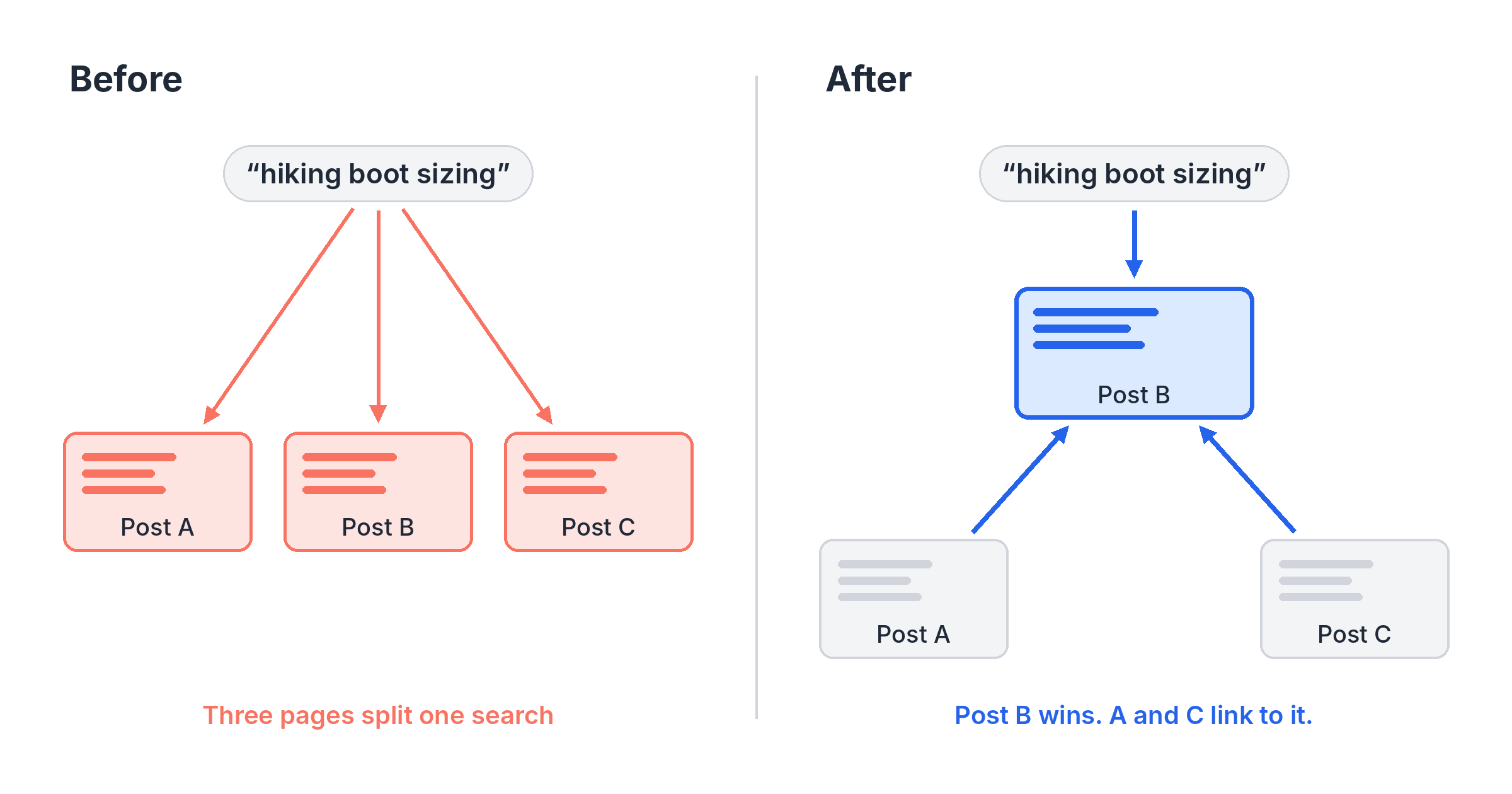
When two or more of your pages rank for the same keyword, they compete with each other. This is often called keyword cannibalization. Google has to guess which page you mean, and the answer can change from week to week. Often neither page ranks as well as one strong page would.
It's common on sites that publish a lot. You write about the same topic from a few angles over the years, and the posts start overlapping.
How to spot them
- Two of your pages rank for the same keyword.
- A page's ranking for a keyword swaps back and forth with another of your pages.
- The wrong page ranks, like a blog post outranking the service page you want people to land on.
How to fix them with links
- Pick the winner. Choose the page that best matches what searchers want, and usually the one that already performs best. Make that keyword its target keyword (how to choose one).
- Link from the other pages to the winner. Use anchor text built on the shared keyword. Each link tells search engines which page is the main one for that search.
- Give the other pages their own focus. Shift each one toward a related but different keyword so they support the winner instead of competing with it.
If two pages truly say the same thing, internal links may not be enough. Merging them into one page and redirecting the other can be the cleaner fix.
Where SpyFu Site Audit fits
Finding these problems by hand means mapping every link on your site. Writing the fixes means opening page after page to add links that fit.
SpyFu Site Audit does both. Its issue list flags orphan pages, pages with only one link pointing to them, and keyword cannibalization, where other pages on your site rank for a page's target keyword. Then Internal Links section writes each suggested link for you: the page it goes on, the page it points to, and the words that carry it.
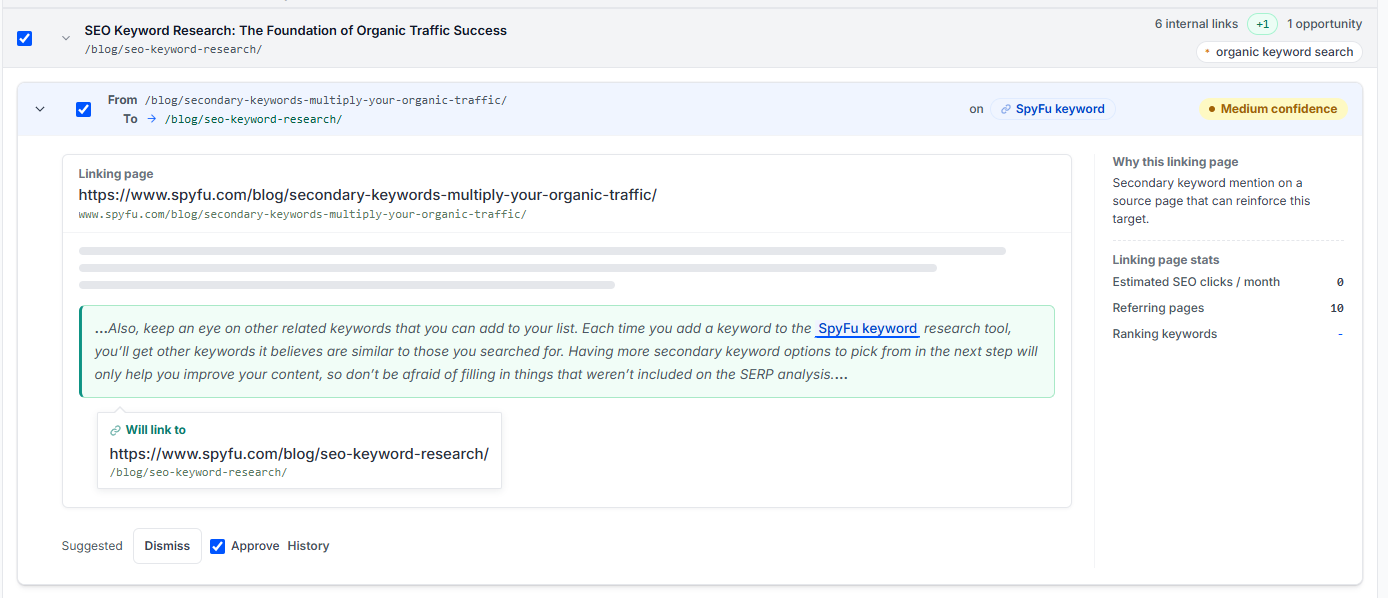
The links are built on each page's target keyword. Set the target keyword on the page you want to win, and the suggested links point there. You approve each link before it goes live. Here's how to review internal link suggestions.
