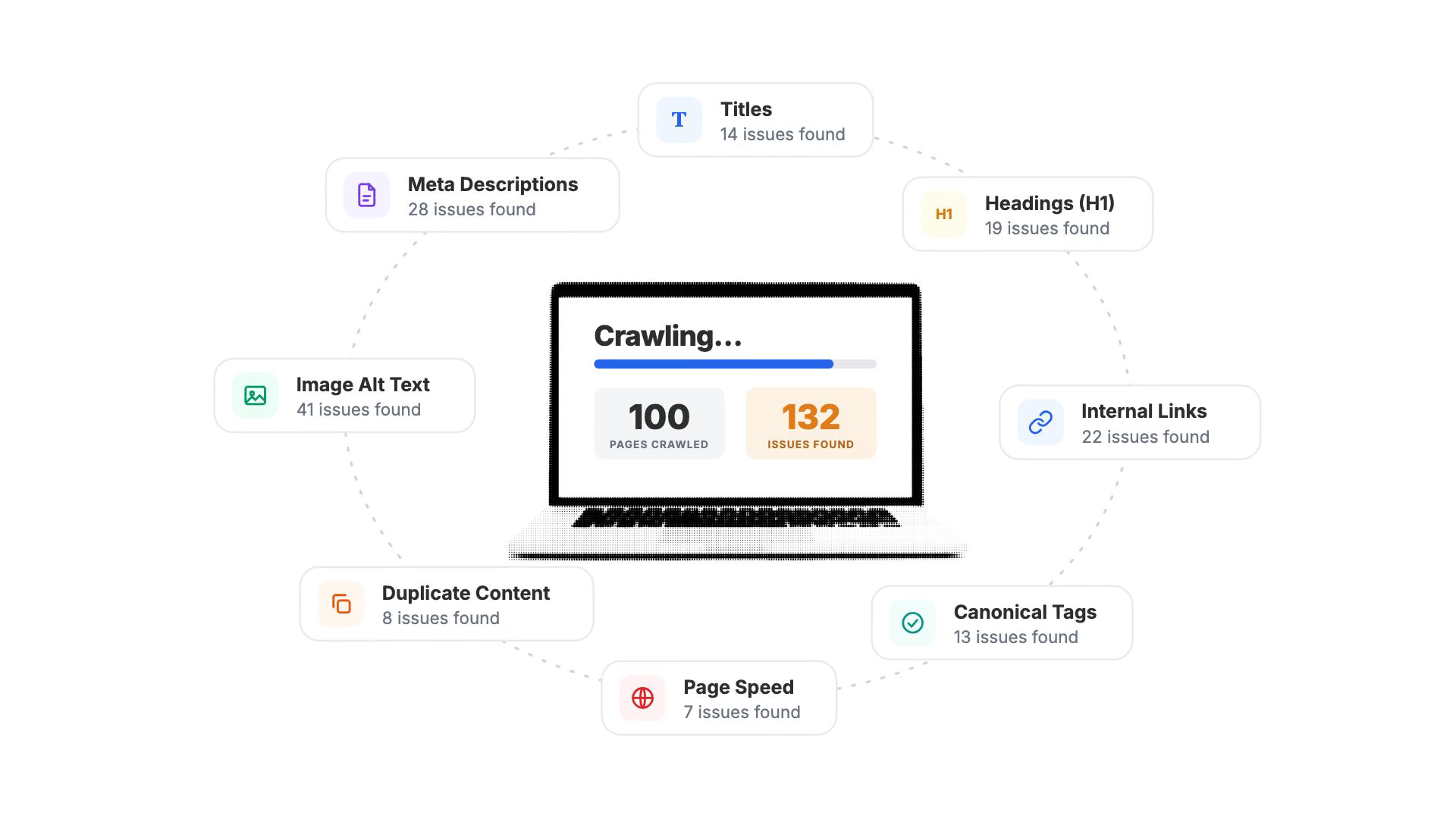
The crawl finished. Your report says 1,400 issues, a health score that you'd like to bump up, and a long list of warnings with names like "low text-to-code ratio" and "canonical chain detected."
This is where a lot of audits stop. Not because the findings are wrong, but because nobody knows which ones matter. The report goes into a shared folder. A few easy fixes get done. The rest wait for a developer, a free afternoon or the next audit, which will find most of the same problems.
Finding issues is the easy part. The value of an audit comes from what you fix, and how quickly.
This guide walks through a six-step process for turning audit findings into fixes that actually go live:
- Check for site-level emergencies first
- Read the report by issue type, not by count
- Weigh each issue by the value of the pages it affects
- Sort the work by type of fix
- Turn findings into work that ships
- Verify the fixes and re-crawl
It works with any audit tool. If you haven't run your audit yet, start with our SEO audit checklist and come back here when you have results.
Step 1: Check for Site-Level Emergencies First
Before you sort anything, look for the handful of problems that affect the whole site. These outrank everything else in the report, because they can take pages out of search entirely.
Look for:
- The homepage returning an error (4xx or 5xx) or redirecting to another domain
- Robots.txt blocking Googlebot from the homepage or most of the site
- Most pages set to noindex, often a staging setting that made it to the live site
- A high rate of server errors, which usually points to hosting trouble
- SSL certificate problems, including a certificate that's expired or about to
- A missing or invalid XML sitemap
- A crawl that failed or returned zero pages
If any of these show up, stop and fix them before anything else. A missing meta description doesn't matter much if Google can't crawl the page.
Most audits won't have any of these. That's good news, and it means you can move on to the normal work of prioritizing.
Step 2: Read the Report by Issue Type, Not by Count
That big number at the top of your report is usually counting instances: every missing alt text on every image on every page. It's a measure of volume, not severity.
A site with 1,400 issues might have only 25 issue types. And a lot of those types trace back to one cause, like a template that leaves out H1 tags on every product page. Fix the template and hundreds of issues disappear at once.
So start by switching your view from the total to the list of issue types. For each one, note:
- Severity. Most tools group issues into errors (hurting you now), warnings (holding you back) and notices (nice to fix).
- How many pages it affects. An issue on 90% of your pages is usually a template problem.
- Whether it's sitewide. Sitewide issues are often the fastest wins, because one change fixes every instance.
A quick note on health scores: a score of 94 next to zero "healthy" pages isn't a contradiction. A page counts as "with issues" if it has even one small notice, so nearly every real site has very few fully clean pages. The score reads the site as a whole.
Step 3: Weigh Each Issue by the Value of the Pages It Affects
Severity tells you how bad an issue is in general. It doesn't tell you how much it matters on your site. A missing title on your top-earning page matters more than a broken link on a page nobody visits.
So bring page value into it. For each high-priority issue type, look at which pages it affects and how much search traffic those pages get. You can pull that from Google Search Console, your analytics, or an SEO tool that shows estimated organic clicks per page.
Then sort:
- Issues on your busiest pages move up. These are the pages already earning traffic, so problems there put the most at stake.
- Issues on pages that rank on page two or three come next. Small fixes like a better title tag can help these pages rank for more keywords.
- Issues on pages with no search traffic go lower, unless they're new pages you're trying to grow.
One caution: on a small or newer site, most pages won't have traffic data yet. That's normal. In that case, treat the fixes as clearing the path for growth rather than recovering lost traffic, and prioritize by severity and effort instead.
Step 4: Sort the Work by Type of Fix
Now you know what matters. The last sorting step is who fixes it and how much effort it takes. This is the step most audits skip, and it's why so many findings stall.
Most issues fall into one of four types:
| Fix type | What it means | Examples | Who usually owns it |
|---|---|---|---|
| Ready to deploy | The fix is a content change that can be written and published without touching code | Missing or duplicate titles, meta descriptions, H1s, image alt text, social tags | SEO or content team |
| Needs review | A fix can be suggested, but it needs someone's judgment first | Choosing a page's target keyword, rewriting thin content, merging near-duplicate pages | SEO lead or page owner |
| Developer fix | Requires changes to code, templates or server settings | Redirect chains, server errors, structured data errors, slow page loads, orphan pages | Developers |
| Monitor | No action needed now, but worth watching | Low text-to-code ratio on a JavaScript-heavy site, deep crawl depth | Nobody yet |
Put severity, page value and fix type together and a plan falls out of it:
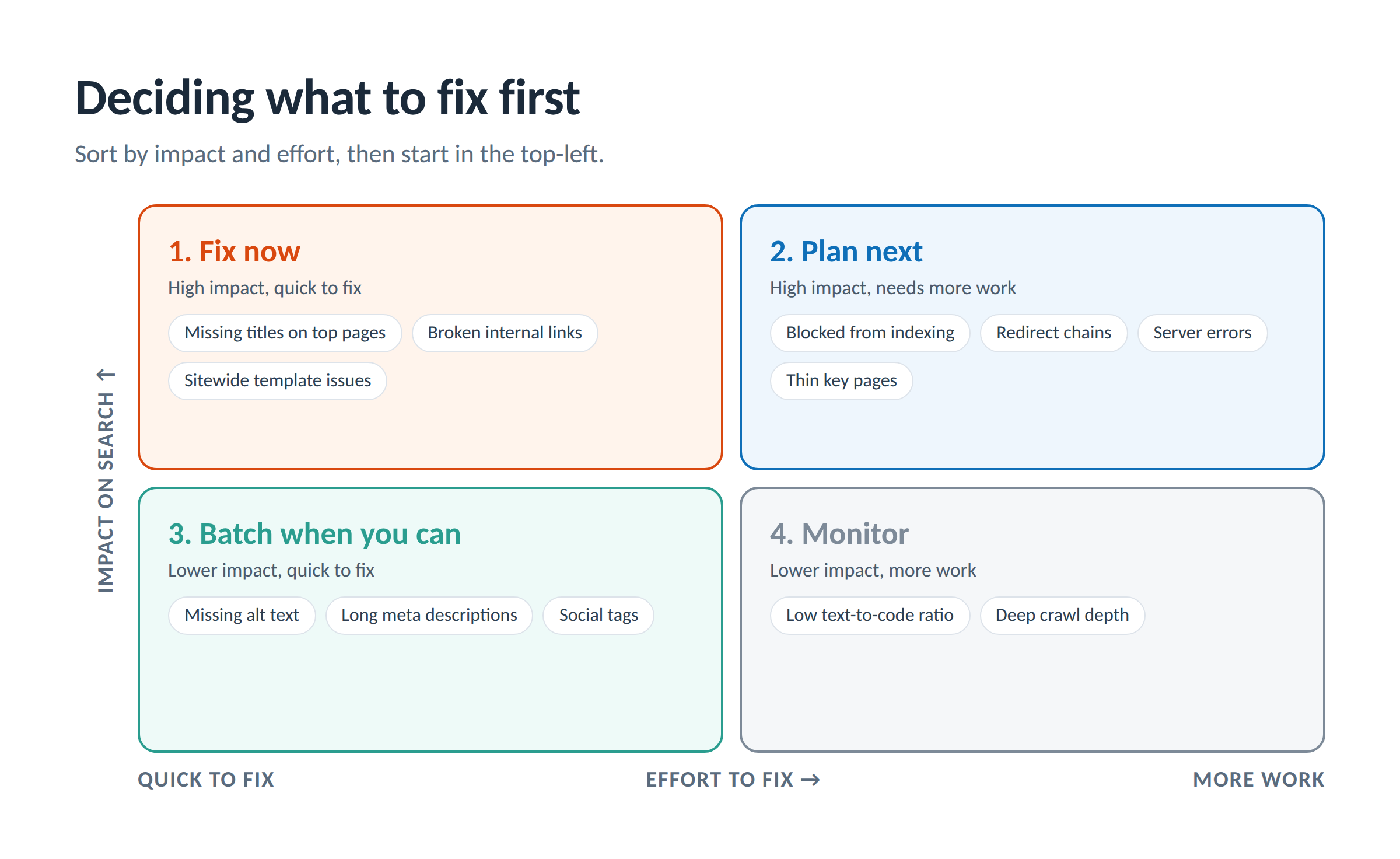
- Fix now: high impact and quick to fix. Missing titles on top pages, broken internal links, sitewide template issues.
- Plan next: high impact but more work. Indexing problems, redirect chains, server errors. These go to developers with a clear ticket (Step 5).
- Batch when you can: lower impact and quick. Alt text, long meta descriptions, social tags. Do these in one sitting rather than one at a time.
- Monitor: lower impact and more work. Note them and check again next audit.
The "fix now" list should be short enough to finish this week. If it isn't, tighten your definition of high impact.
Step 5: Turn Findings Into Work That Ships
A prioritized list still isn't a fix. This step is about getting each item into the hands of whoever can finish it, in a form they can act on.
Do the "ready to deploy" fixes yourself
Titles, meta descriptions, headings and alt text don't need a developer on most sites. Write them around the keyword each page is already ranking for (or the one you want it to rank for), review them in a batch, and publish. This is often the biggest share of an audit's issues, and the fastest to clear.
Write developer tickets that can't bounce back
The most common reason technical fixes stall is a vague ticket. "Fix redirect chains" gets pushed back with questions. A good ticket answers them up front:
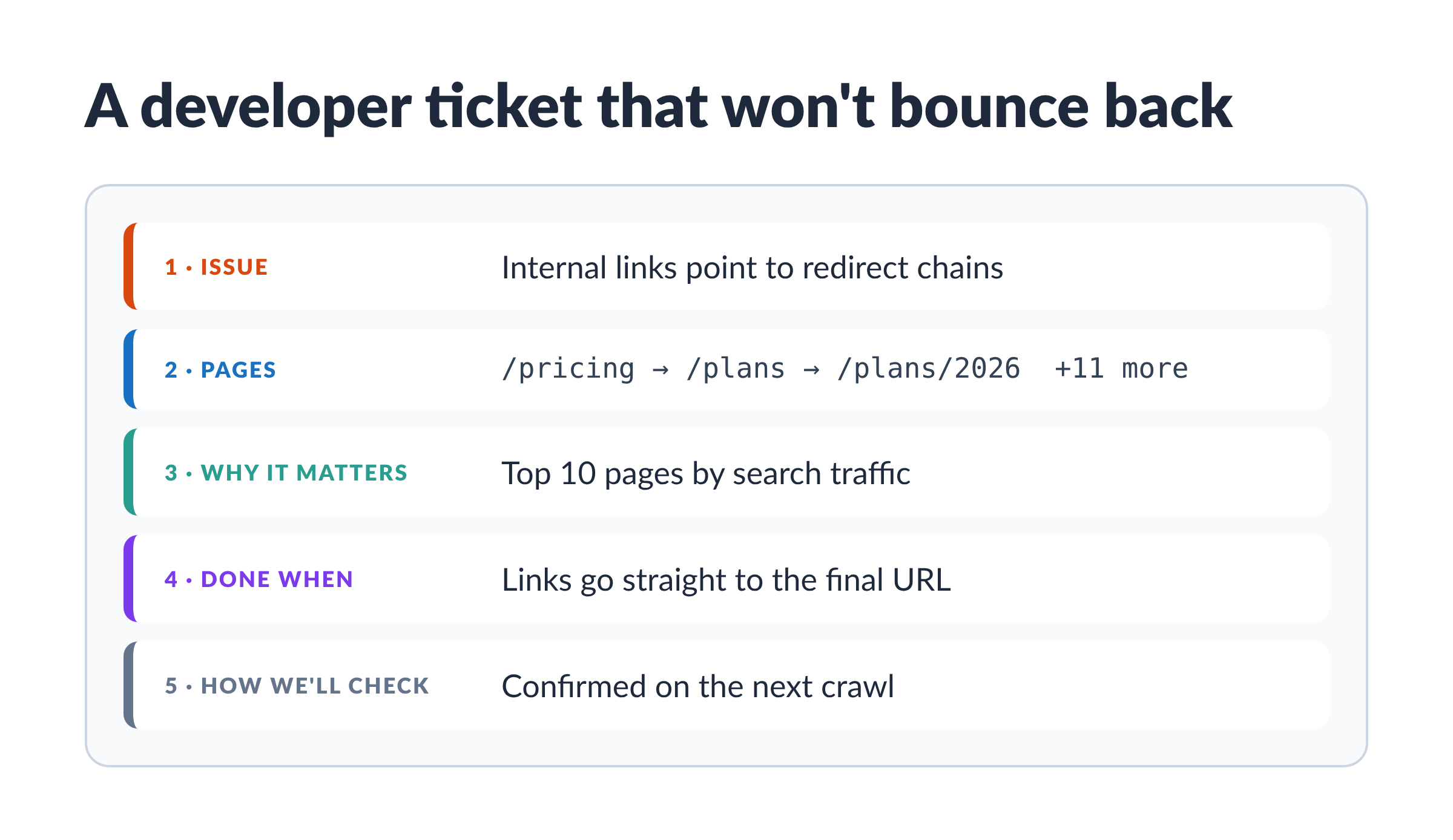
- The issue, in one line. "12 internal links point to URLs that redirect twice before landing."
- The exact pages. A list of affected URLs (and for link issues, the source page and the link). An export from your audit tool works.
- Why it matters. Tie it to something they care about: these pages get the most search traffic, or Google is wasting crawl time on them.
- What "done" looks like. "Each link points straight to the final URL with a 200 status."
- How you'll check it. "We'll confirm on the next crawl."
Group related issues into one ticket when they share a cause. One ticket for "product template is missing the H1" beats 300 tickets for 300 pages.
Handle the "needs review" items in one meeting
Keyword choices, content merges and rewrites need someone with context to decide. Collect them, bring them to the page owner in one session, and leave with decisions. Then they become "ready to deploy" items.
Step 6: Verify the Fixes and Re-Crawl
A fix isn't done when it's published. It's done when you've confirmed it's live and working.
- Check the page itself. View the live page or its source and confirm the change is there.
- Re-crawl the affected pages. The next crawl should show the issue cleared. If it doesn't, the fix may not have deployed, or a cache may be serving the old version.
- Watch for issues that come back. If a fixed issue returns, something upstream (a template, a plugin, a publishing workflow) is recreating it. Fix the source, not the symptom.
- Track the trend, not just the snapshot. Your health score and issue counts across several crawls tell you whether you're making progress.
Then set your rhythm. Most sites benefit from a full audit every three months with monitoring in between. Our guide on how often to re-audit covers schedules by site type.
One more thing to set expectations: rankings don't move the day a fix goes live. Search engines need to re-crawl and re-read your pages first, so changes build over weeks. Keep an eye on them by setting up a domain tracking dashboard--like with SpyFu's My Sites.
How SpyFu Site Audit Shortens the Path From Finding to Fix
Everything above works with any audit tool. It's also a lot of manual sorting, writing and checking. SpyFu Site Audit was built around this exact workflow: crawl, analyze, prioritize, generate recommendations, implement.
Here's how each step maps to the tool:
| Step | What SpyFu Site Audit does |
|---|---|
| 1. Site-level emergencies | Every crawl checks for serious site-wide problems (a failed crawl, a blocked homepage, certificate trouble) and flags them at the top of your Overview. |
| 2. Read by issue type | Issues are grouped by type and severity, with the exact pages affected listed under each one. |
| 3. Weigh by page value | Pages are sorted by estimated organic clicks from SpyFu's own data, so issues on your busiest pages surface first. |
| 4. Sort by fix type | Issues are organized by fix type: auto-fixable, needs review, developer fix, and monitor. |
| 5. Turn findings into work | For titles, meta descriptions, H1s and social tags, SpyFu writes the fix around the keyword each page already ranks for. Every other issue comes with a step-by-step guide. |
| 6. Verify | After you publish, SpyFu re-checks each page and marks confirmed fixes "Live on your site." Your score and issue counts trend across crawls. |
The fixes stay in your hands. You review each one, edit anything that doesn't fit your business, and publish when you're ready. Nothing changes on your site until you do, and one click undoes any fix.
That's the real difference. The audit doesn't end with a list for someone else to work through. It ends with fixes that are written, reviewed and confirmed live.
The SpyFu Site Audit is included with new subscriber plans. Run your first audit → https://www.spyfu.com/siteaudit/
Frequently Asked Questions
What should I fix first after an SEO audit?
Start with site-level problems that block search engines: an erroring homepage, robots.txt blocking Google, or pages wrongly set to noindex. After that, fix high-severity issues on your highest-traffic pages, starting with the ones that are quick to fix.
Do I need to fix every issue in an SEO audit?
No. Some issues are notices worth monitoring rather than fixing, and some don't apply to how your site is built. The goal is steady progress on the issues that affect your important pages, not a perfect score.
Why does my audit show so many issues?
Most audit totals count every instance on every page. One template problem can create hundreds of instances. Look at the number of issue types instead, which is usually a much shorter list.
How long does it take to see results from SEO audit fixes?
Usually weeks. Search engines need to re-crawl your pages before rankings respond. Confirm the fixes are live first, then track rankings and traffic over the following month or two.
What if I don't have a developer?
Many of the most common issues (titles, meta descriptions, headings, alt text) are content changes you can make yourself in your CMS. For technical issues, look for an audit tool that explains each fix step by step so you can decide whether to handle it or hand it off.
