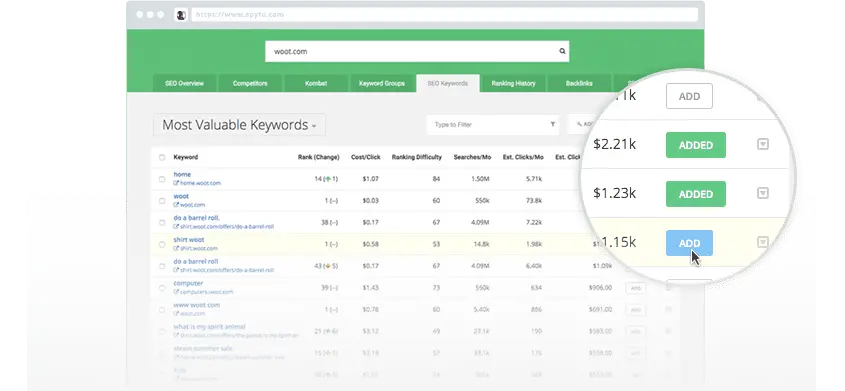
See any website’s top pages.
Compare estimated search traffic and the keywords behind each page.
Find top pages by estimated organic search traffic.
Find a competitor’s top pages by estimated organic search activity. Explore the searches associated with each page and filter toward the topics that matter to you.
Study what each page helps its reader do. A guide, product page and template may serve different needs even when they cover a similar topic.
Start with the pages generating the most estimated organic clicks, then inspect the keywords contributing to each page. Filter by a topic to find the strongest content in the part of the market you want to reach.
How Top Pages metrics are definedWhat makes a page worth studying?

Pages
identify content earning search visibility.
Keywords
understand each page’s topic coverage.
Formats
compare guides, products and other page types.
Improve the content already bringing your site visitors.
Use the same view on your website to identify valuable pages, emerging rankings and gaps. Consider promotion, internal links and updates alongside new content.
Your high-traffic pages can also be candidates for conversion improvements. Use your own analytics to choose where a clearer offer or next step could help the visitors those pages already attract.

Choose a relevant page
Choose a relevant top page.

Review its keyword coverage
Review its audience, format and keyword coverage.

Plan an improvement
Plan a focused improvement for your own site.
Top Pages questions.
How can I find a competitor’s top pages?
Enter its domain to compare pages by estimated organic search activity. Explore each URL’s associated keywords to understand the topics bringing it visibility.
Can I use Top Pages on my own website?
Yes. Research your domain to find valuable content, emerging rankings and pages worth updating, promoting or supporting with internal links.
Take a closer look.
Discover leading search pages and the keywords behind them in SpyFu.
View plans